

Flashcards that live in your course. Build a deck once, add it to Canvas, Moodle, Brightspace, Blackboard or Schoology, and students open it right from the course. No extra logins.
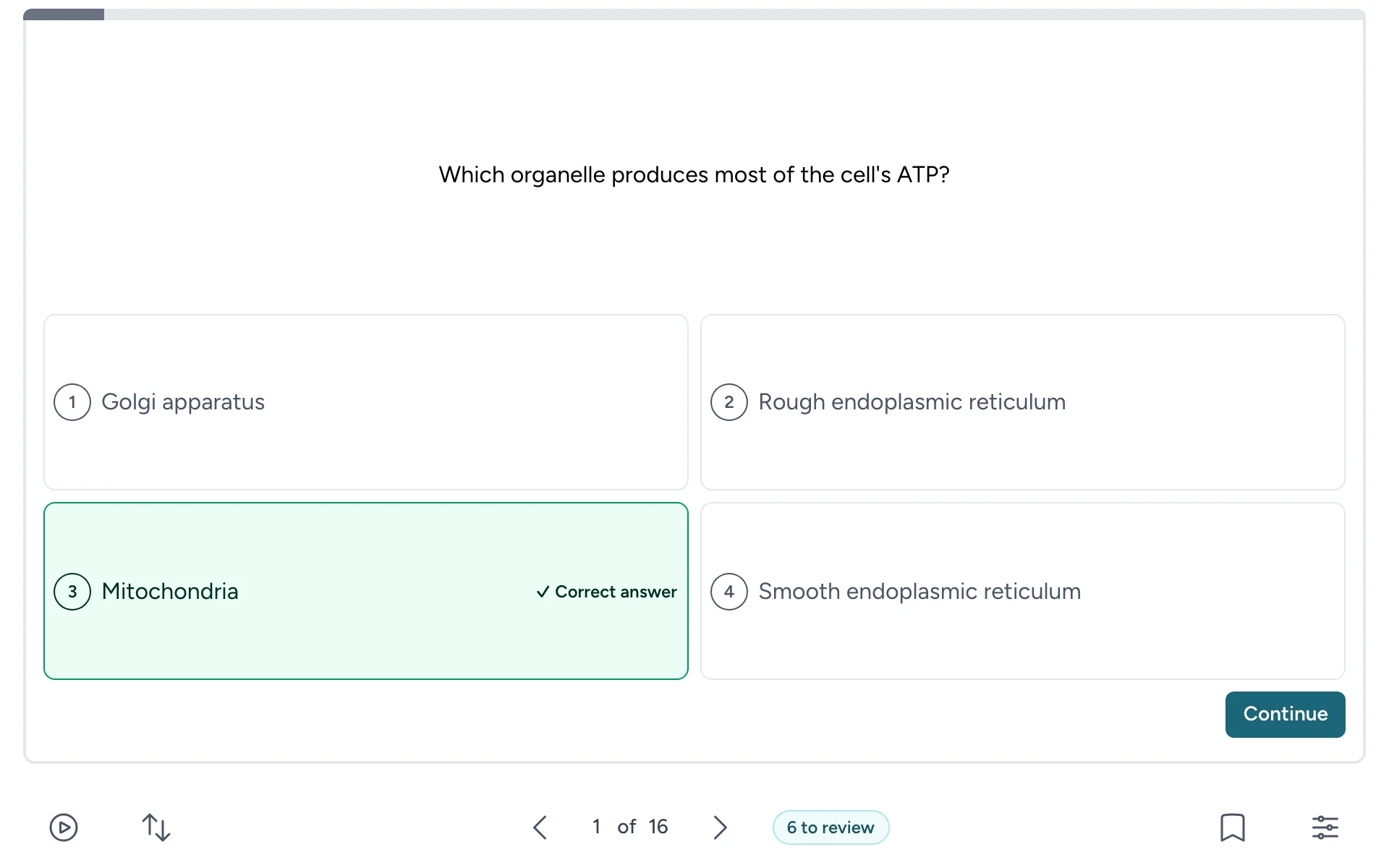
- Three ways to study one deck: flip and mark, multiple choice, or spaced repetition.
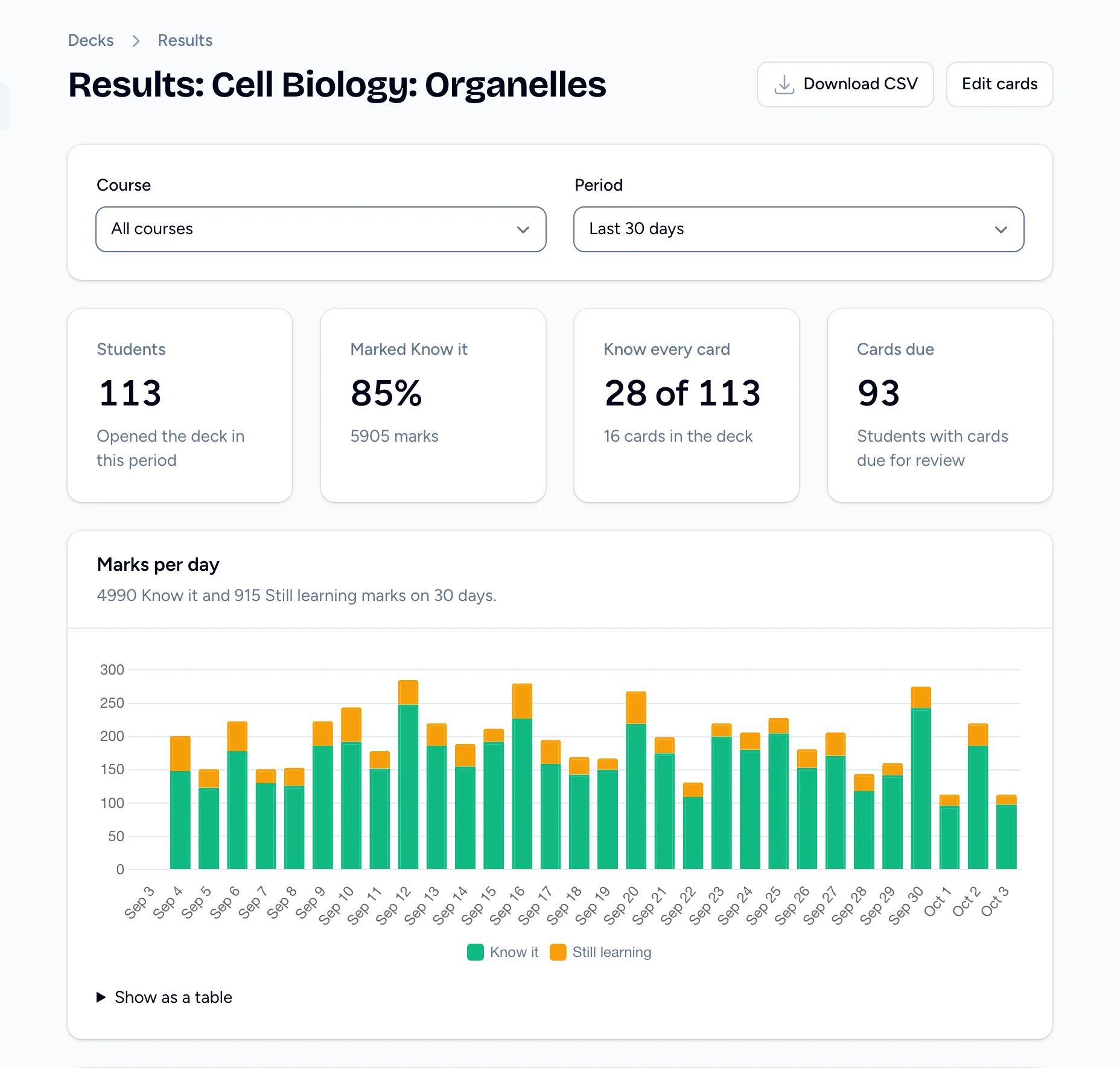
- See what’s sticking: every deck has a Results page with each student’s progress and the cards your class finds hardest.
- Fast to build: type your cards, paste a list, or upload a CSV. Add images and hints.
- Private and ad-free: decks stay behind your LMS sign-in, and student data is never used for advertising.
Plans start at $50 a year for a single class, with plans for whole schools too.
Try it free for 30 days, no credit card needed, or see everything it can do.
- Start a free trial. It’s free for 30 days, no credit card needed.
- In Flash Reference, open Settings → Production and copy the Configuration URL, Consumer Key and Secret.
- In Canvas, go to Admin → Settings → Apps → View App Configurations → + App. Choose By URL and paste them in. Teachers without admin access can do the same from a single course’s Settings → Apps.
That’s it. Instructors add decks from any module with + → External Tool → Flash Reference.
Step-by-step guides: Canvas · Canvas with LTI 1.3 · Other LMSs
Questions? We’ll help you get connected.
Flash Reference is dedicated to providing a positive experience to all students and strives to be in compliance with WCAG standards.
https://flash-reference.com/accessibility
Flash Reference was built with security in mind. Every page is loaded over https and user's passwords and hashed before being stored in our database.
https://flash-reference.com/security
Due to the nature of Flash Reference, the student information gathered through the LTI integration is limited to the student's name and email address. This is used to create an account, allow personalization, and provide general statistics.
https://flash-reference.com/privacy
Currently Flash Reference does not use any LMS APIs.